Вы можете самостоятельно выбрать папку, в которую будут скачиваться игры:
- Нажмите на Настройки в верхней части окна Игрового центр
- Выберите вкладку Игры и дистрибутивы
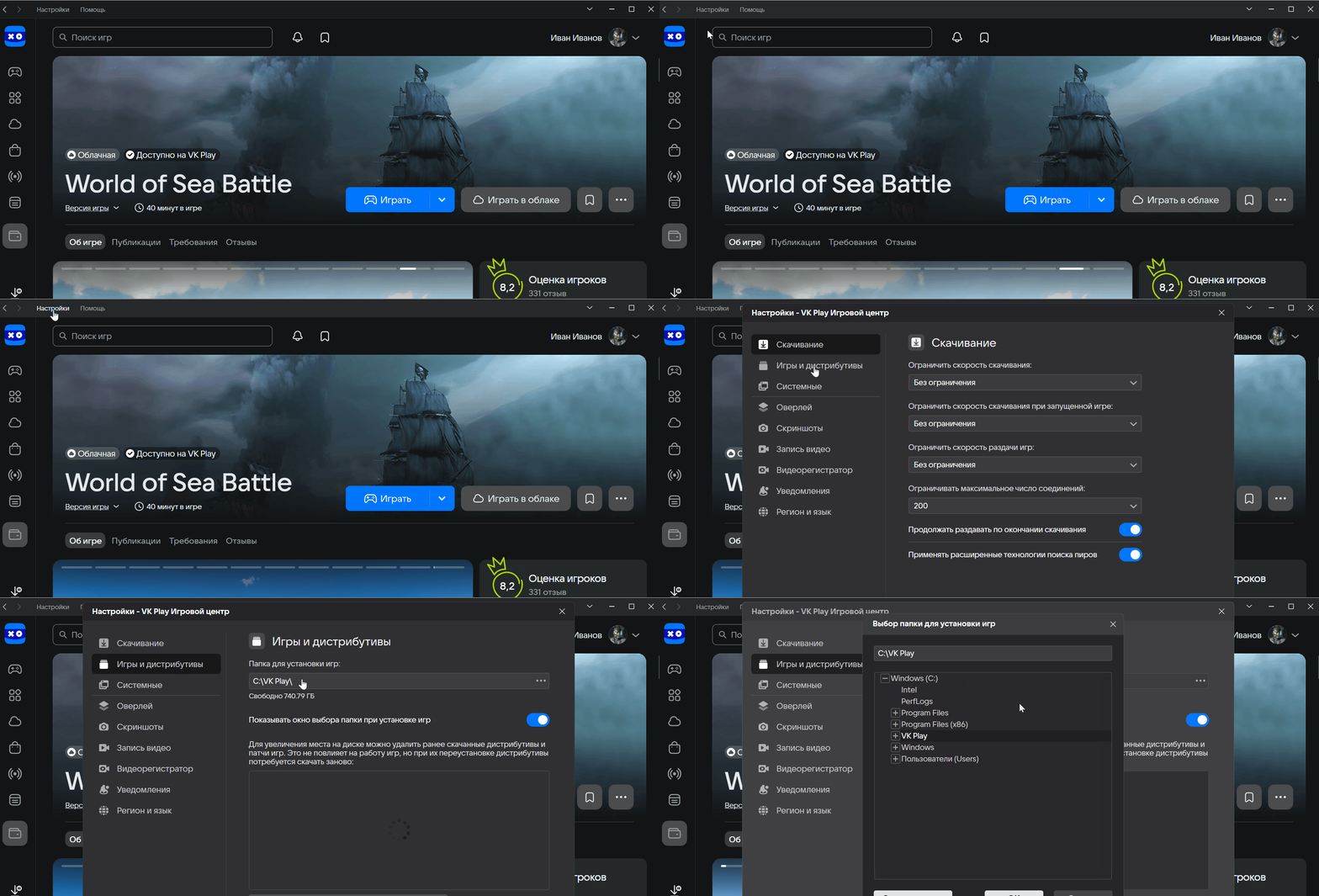
В пункте Папка для установки игр указан путь, в который по умолчанию скачиваются файлы игры. Если вы хотите его изменить, нажмите на путь и выберите другую папку.
У некоторых игр дистрибутивы находятся в подкаталоге \Distrib\packages в выбранной папке для установки игр.