- Какие геймпады поддерживаются
- Особенности подключения геймпадов
- Вопросы и ответы по работе геймпадов
Какие геймпады поддерживаются
Сервис поддерживает до 4 одновременно подключенных геймпадов, таким образом вы можете играть вдвоем, если игра предоставляет такой режим.
Мы поддерживаем геймпады Xbox 360, Xbox One, Dualshock и DualSense, так как сами игры работают именно с такими геймпадами, и дополнительная настройка для их подключения не требуется.
Помимо этого, вы можете попробовать подключить и другие модели геймпадов, однако, мы не можем гарантировать их корректную работоспособность, так как все большинство геймпадов на нашем сервисе эмулируются под геймпад Xbox.
Исключением является Dualshock/Dualsense, под который есть отдельный пункт в конфигураторе стрима (Зажатие ESC или LB+RB+Y/LT+RT+ ∆)
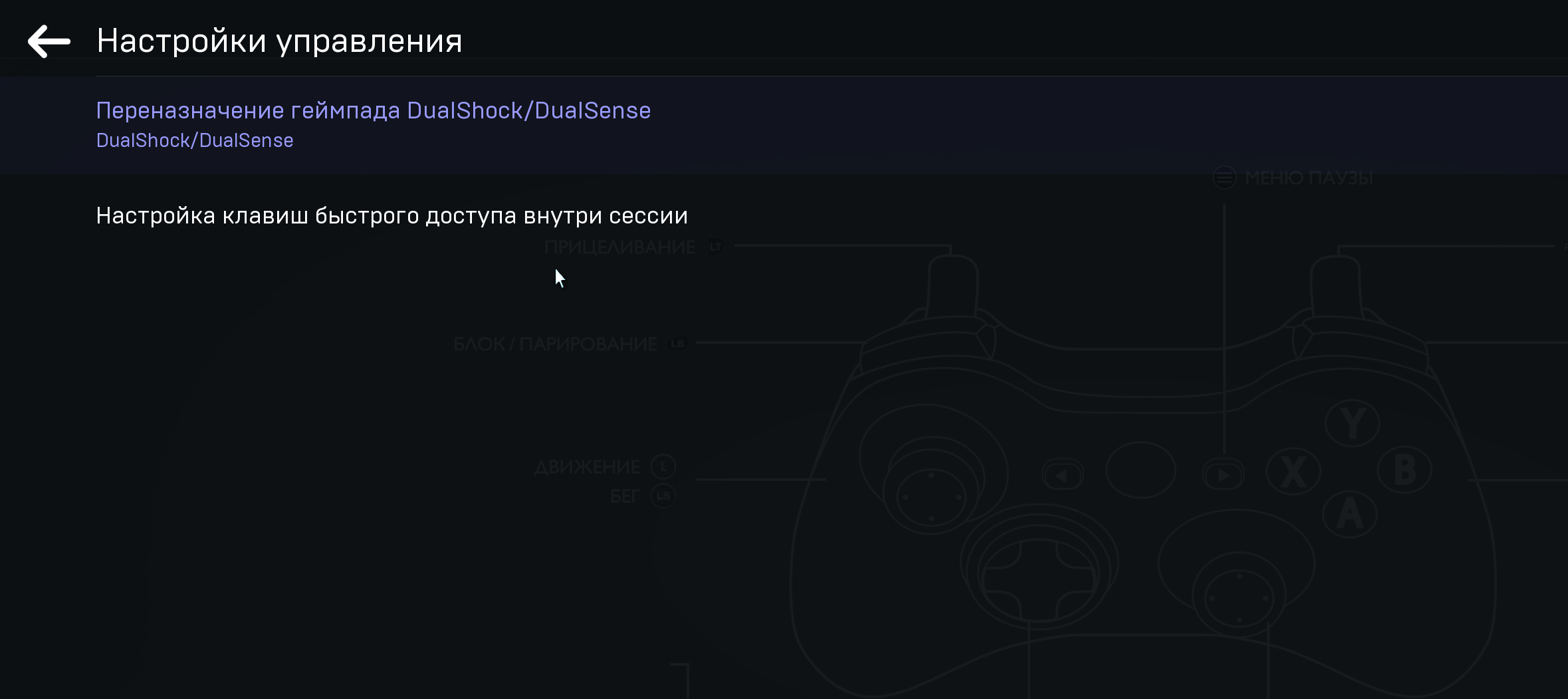
Она позволяет изменить обозначение клавиш контроллера в сессии, если игра поддерживает такой вид обозначения клавиш.
На текущий момент на устройствах Linux не поддерживается управление с геймпадов.
Важно: на устройствах MAC не поддерживается проводной метод подключения по USB.
Данное утверждение актуально для любого контроллера в рамках операционных систем от Apple.
Apple НЕ поддерживает такую конфигурацию официально.
Эта информация так же освещается и на официальном сайте Xbox.
Особенности подключения геймпадов
- Если вы пытаетесь подключить/переподключить геймпад уже во время игры, он может не определяться нашим приложением.
- Для корректной работоспособности геймпадов необходимо, чтобы были установлены актуальные версии драйверов.
- В случае каких-либо трудностей с беспроводным подключением, пожалуйста, попробуйте подключить ваш геймпад по проводу, затем запустите наше приложение (не актуально для систем MAC).
Вопросы и ответы по работе геймпадов
Q: Поддерживается ли управление с ручных рулей / гитар / других нестандартных контроллеров?
A: На текущий момент поддерживается только управление через геймпад. Другие устройства, вроде рулей, теоритически могут работать, но их работа не проверяется и не поддерживается с нашей стороны, и у них могут возникать проблемы с маппингом кнопок, чувствительностью урпавления, определением в клиенте и так далее.
Q: Поддерживается ли виброотдача / адаптианвые триггеры / гироскоп / другие специфичные функции?
A: Функция виброотдачи для геймпадов не поддерживается, но мы планируем реализовать такую возможность в будущем. Сервис также не поддерживает специфические дополнительные функции тех или иных геймпадов. К примеру, это касается опций адаптивных триггеров, тачпада или гироскопа, которые есть в рамках контроллеров Dualsense и иных специфических устройств ввода.
Q: Играл в режиме Big Picture в Steam и столкнулся с проблемой удвоенных инпутов. Как её испрваить?
A: В лаунчере Steam режиме Big Picture есть баг, когда при открытом на нескольких устройствах лаунчере удваивается количество инпутов с геймпада - то есть, вы жмёте на кнопку один раз, а срабатывает дважды (трижды, если Steam открыт на трёх устройствах, и так далее). Поскольку Облако считается таким отдельным "устройством", рекомендуется при возникновении такой проблемы закрыть Steam на всех прочих устройствах. Это баг на стороне именно самого лаунчера, и повторяется в том числе и вне Облака, так что со своей стороны исправить его мы не сможем.