Если вы купили ключ и не знаете, где его найти, эта статья поможет вам.
Ключи можно поделить на 2 категории:
1. Игры из лаунчера VK Play;
2. Игры из других лаунчеров (Steam и так др.).
Игры из лаунчера Игровой центр автоматически добавляются на ваш аккаунт. Вам не нужен ключ для его активации.
Где найти купленный ключ других лаунчеров:
1. Перейдите во вкладку "CloudGaming" - "Личный кабинет" - "История транзакций"
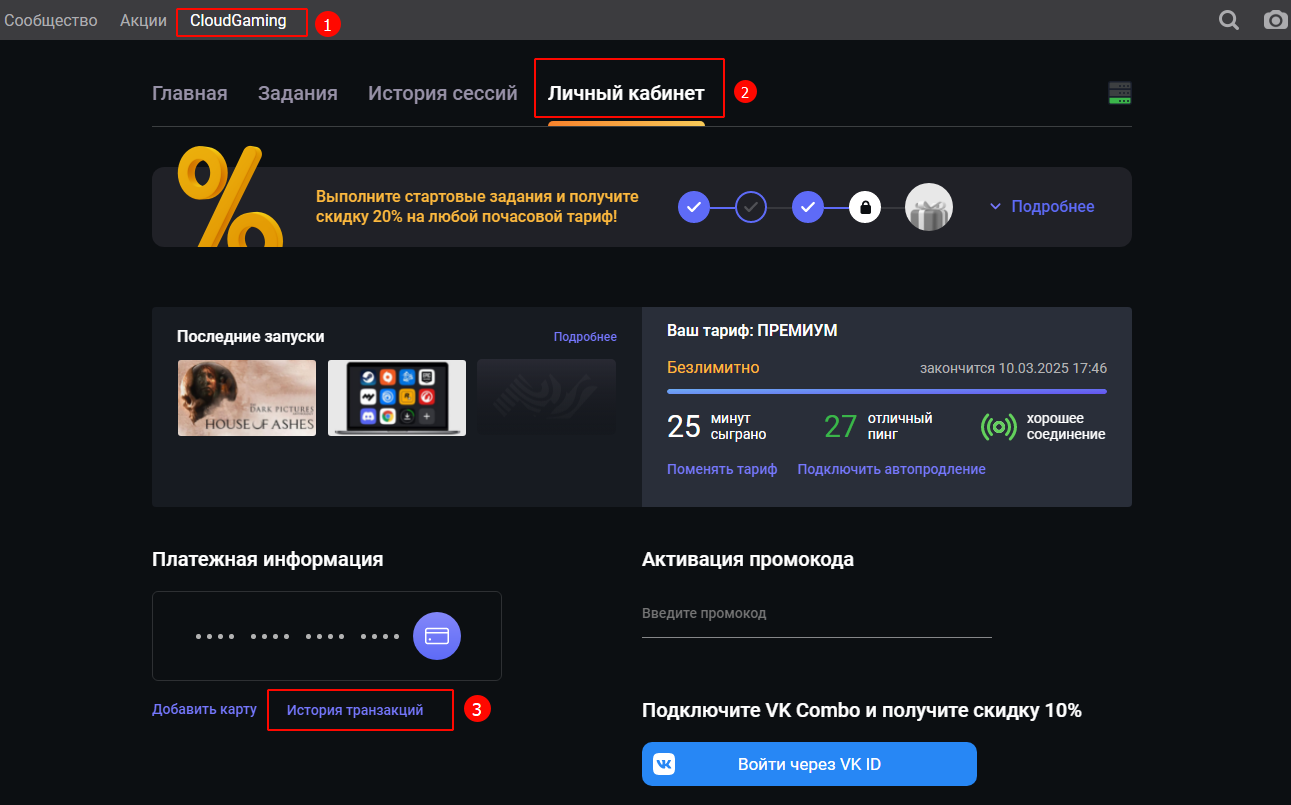
2. В "Истории транзакций" найдите нужную игру и наведите курсор на значок "?", там будет указан ваш ключ.
