- Как это работает?
- Нужно ли покупать игры для их запуска на VK Play Облачный гейминг?
- Общие требования к Облачному геймингу
- Как поиграть бесплатно, если у меня нет на аккаунте купленных игр и возможности купить тариф?
- Часто задаваемые вопросы
Как это работает?
При наличии активной подписки вы можете запустить любую игру, которая есть в вашей библиотеке, используя логин и пароль от учетной записи игровой платформы.
Таким образом, вы получаете самые требовательные к “железу” блокбастеры в превосходном качестве на любом компьютере или ноутбуке.
Регистрировать аккаунт в Steam или в другом лаунчере, в котором у вас приобретена запускаемая игра, нужно до того, как вы выполните запуск на нашем сервисе.
Даже если игра бесплатная, регистрация в облачной сессии будет проходить некорректно из-за невозможности пройти капчу в сетевых реалиях облака.
Нужно ли покупать игры для их запуска на VK Play Облачный гейминг?
Нужно, но не все. Если игра распространяется издателем игры на платной основе, то она не может быть бесплатной на VK Play Облачный гейминг, так как это будет нарушением интересов издателей игр. Подписка даёт возможность запускать игры, ключи от которых уже куплены.
Покупая игру в VK Play Облачный гейминг, вы получаете ключ в собственность и можете использовать его не только для запуска игры в сервисе, но и на своем компьютере.
Мы также реализовали функцию Игровые Сервера, которая облегчит процесс авторизации и игры в интересующем проекте, подробнее в статье, сама Опция доступна по ссылке.
Если у вас уже имеется учетная запись с активированным ранее ключом, то необходимо войти на сайте в карточку игры и нажать кнопку "Играть".
Общие требования к Облачному геймингу
PC
Основной клиент сервиса VK Play Облачный гейминг, интегрированный в Игровой Центр.
Для стабильной работы сервиса на платформе Windows требуется:
Версия ОС: Windows 7, 10, 11
Процессор от 1,5 Ггц и видеокарта с аппаратной поддержкой стандарта декодирования H.264
Процессор от 2.6 Ггц и видеокарта без аппаратной поддержки стандарта декодирования H.264
DirectX 9.0
Для запуска игр в конфигурации выше, чем 60 FPS, потребуются Графические системы для процессоров Intel® 4-го поколения (Intel HD 4000) / GeForce 500 Series / AMD radeon R5 (и выше).
Если у вас возникнут вопросы по работе стрима на PC, рекомендую ознакомиться с этой статьёй.
MacOS
Для стабильной работы сервиса на платформе MacOS требуется:
Версия ОС: macOS 12.7 (Monterey) и выше
Процессор от 1,5 Ггц и видеокарта с аппаратной поддержкой стандарта декодирования H.264
Процессор от 2.6 Ггц и видеокарта без аппаратной поддержки стандарта декодирования H.264
Metal
Если у вас возникнут вопросы по работе стрима на MacOS, рекомендую ознакомиться с этой статьёй.
Linux
На текущий момент клиент поддерживает большое разнообразие дистрибутивов LinuxOS, однако у такого способа запуска есть свои особенности:
1) Клиент для Linux временно не поддерживает управление через геймпад.
У нас в разработке есть функция, которая позволит использовать геймпады при игре через Linux, но на данный момент они недоступны.
2) Клиент не поддерживает аппаратное декодирование.
Сейчас на Linux доступен только программный декодер вне зависимости от того, какой аппаратный декодер есть на вашем устройстве.
Если у вас возникнут вопросы по работе стрима на LinuxOS, рекомендую ознакомиться с этой статьёй.
Запуск игры через браузер
Мы запустили возможность запуска игры прямо из браузера, лишив вас лишних затрат на установку приложений или клиентов.
Этот способ идеален для более старых систем, либо ограниченных ПК-девайсов.
Поддерживаемые платформы и браузеры для этого типа запуска сессии:
- Windows (браузеры: Google Chrome, Yandex браузер, Edge и Opera);
- MacOS (браузеры: Google Chrome и Safari);
- IOS (браузеры: Google Chrome и Safari, поддерживается только iPhone)
- Linux (браузеры: Chrome);
- Запуск браузерной сессии так же доступен на ChromeOS/ChromiumOS.
Более подробное описание процессов и нюансов запуска через браузер мы описали в отдельной статье, рекомендуем ознакомиться с ней перед тестом.
Запуск на Android и Android TV-устройствах
Наш Облачный сервис теперь доступен на смартфонах, планшетах и TV/TV-приставках на базе Android.
Для игры необходимо ПО версии Android 7.0 или выше.
Дополнительные подробности того, как установить приложение, мы описали в отдельной статье. Так же, рекомендую ознакомиться со специальным разделом на нашем портале поддержки.
Общие минимальные требования к интернет-каналу:
Важно понимать, что при подключении к игровой сессии в большей степени важна стабильность соединения с нашими серверами, однако и к скорости при работе Облака есть определенные требования:
Минимальная скорость обмена информацией с сервером сервиса облачного гейминга от 10 Мбит/с.
Рекомендуемая скорость для разного разрешения трансляции
10 Мбит/сек для запуска игр в 30 FPS, HD (1280х720);
15 Мбит/сек для 30 FPS, Full HD (1920х1080);
20 Мбит/сек для 60 FPS, Full HD (1920х1080);
25 Мбит/сек для 120 FPS, Full HD (1920x1080);
35 Мбит/сек для 120 FPS, 2K и 4K (2560x1440 и 3840x2160).
Как поиграть бесплатно, если у меня нет на аккаунте купленных игр и возможности купить тариф?
В данном случае есть несколько способов, которые помогут вам протестировать сервис:
- Основной способ — это выполнение ежедневных заданий в меню Игрового Центра. Задания есть как стартовые, которые награждают вас за активность на вашем аккаунте VK Play, так и игровые. Подробнее мы описали процесс в нашей статье.
- Другой способ — это быть в курсе наших ивентов в группе ВКонтакте.
На нашем портале часто проводятся конкурсы, скидки или сезонные акции.
О них мы сразу оповещаем наших игроков в новостном посте.
Что касается игр, то на нашем портале есть также 2 способа поиграть без лишних затрат:
- В нашей Библиотеке имеется список бесплатных проектов.
Среди них такие известные игры как Atomic Heart, Аллоды и нашумевший Genshin Impact. Для игры в них, вам нужно лишь завести аккаунт в нужном лаунчере и запустить игру (важно: в некоторых лаунчерах требуется добавить игру в вашу Библиотеку до старта игровой сессии).
С полным списком можно ознакомиться по ссылке.

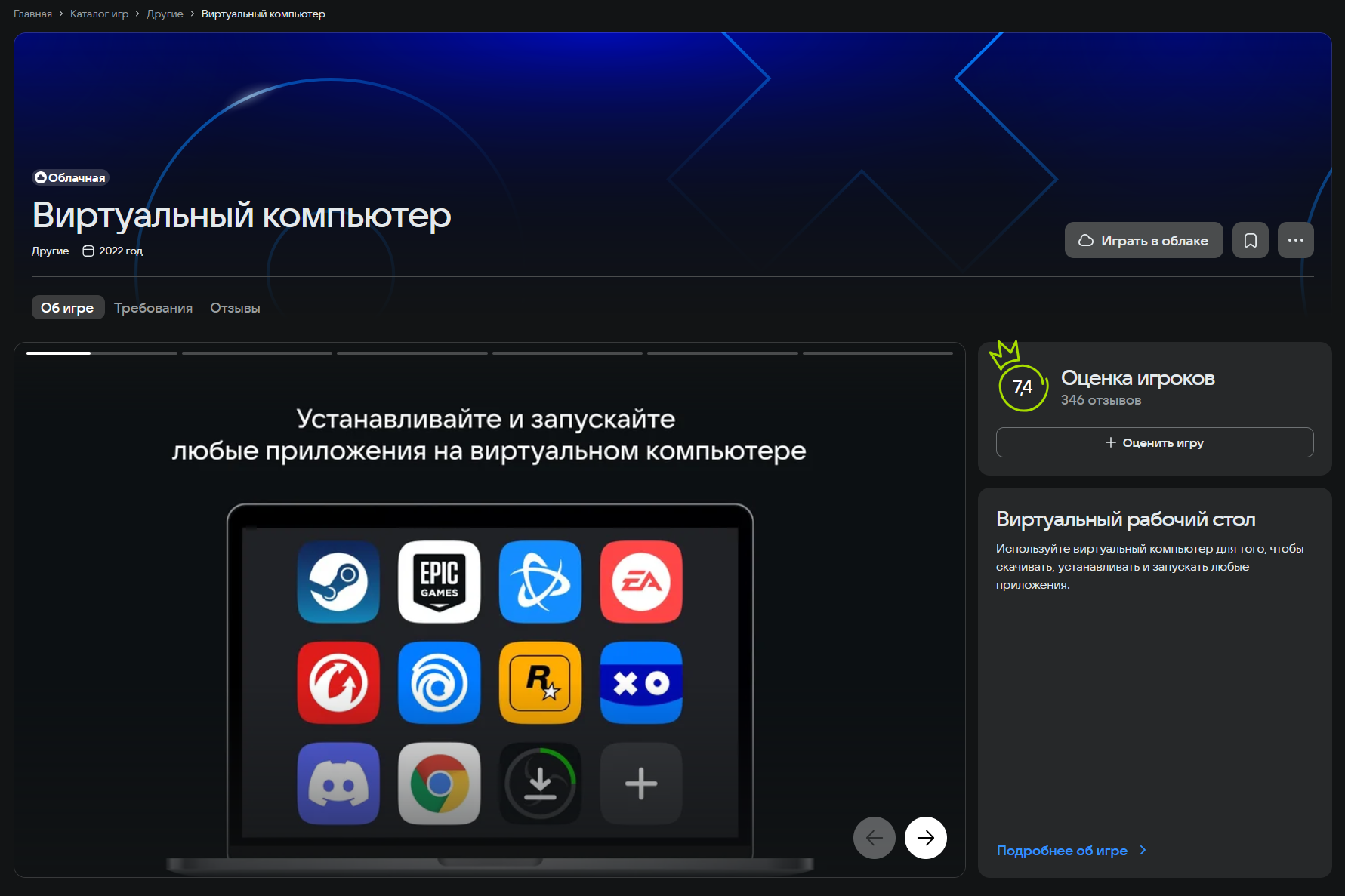
- Второй вариант — это Виртуальный Компьютер, который представляет собой пользовательский Рабочий Стол, с возможностью установки игр, программ и сёрфинга в интернете. Подробности работы карточки Виртуального ПК описаны тут.
Часто задаваемые вопросы
Q: Запустил игровую сессию, но после 30 минут AFK меня выкинуло, с чем это может быть связано?
A: Дело в том, что на нашей платформе время бездействия ограничено и равняется 30 минутам.
То есть, если на протяжении 30 минут в игровой сессии не было какого-либо действия пользователя, она будет завершена.
Q: Что делать, если при первом запуске игры я выбрал не тот лаунчер, игра у меня находится в Steam, а я выбрал Epic Games?
A: Сменить предпочитаемый лаунчер игры вы всегда сможете в вашем личном кабинете.
Для этого прокрутите страницу вниз, там вы увидите раздел "Запускать эти игры через", где, собственно, вы и сможете выбрать нужный вам лаунчер запуска.
Q: Сохранятся ли мои данные входа в лаунчер (Steam, Epic, EA app), а также безопасно ли их оставлять открытыми?
A: Да, ваши данные входа будут сохранены, т.е. при следующем запуске ваш аккаунт лаунчера уже будет открыт, но только при условии, что вы активировали опцию "Запомнить меня".
Что касается безопасности, то ко всем вашим данным имеете доступ только вы, т.к. они хранятся в вашем профиле VK Play Облачный гейминг и не остаются на сервере после заврешения сессии.
Q: Как работает ручной подбор серверов, почему, когда я выбираю конфигурацию с видеокартой 3070, мне попадается совсем другая?
A: Если вы запускаете игровую сессию, используя ручной выбор сервера, например, выбираете RTX 3070, то есть вероятность, что конфигурация с данной видеокартой уже занята, т.к. спрос на неё гораздо выше. В связи с этим, вам автоматически будет предоставлен наиболее приближённый по характеристикам сервер.
Q: Есть ли на вашей платформе возможность подключить VR-очки?
A: В настоящее время на нашем сервисе отсутствует поддержка VR-технологий. Но, возможно, этот функционал появится в будущем!
Q: После 12 часов игровой сессии она завершилась автоматически, почему?
A: На нашей платформе максимальная длина одной игровой сессии составляет 12 часов. По истечении этого срока она завершается.
Данное ограничение распространяется именно на одну сессию, а не на сутки, то есть сразу после её завершения вы можете начать новую.
Q: Как запустить игру, если у меня уже есть ключ?
A: Для запуска игр пользователю потребуется учетная запись игровой платформы с активированным ключом игры, приобретенным на этих платформах или в VK Play Облачный гейминг.
Купить ключи для Steam и иных лаунчеров можно прямо в нашем Маркете, пример: Kingdom Come: Deliverance II
В самом лаунчере уже можно активировать игру, пример для Steam:
